 FluidX3D Run - [source code]
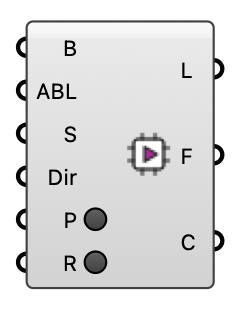
Prepare and launch a FluidX3D GPU wind simulation (builds the solver from source, runs on the GPU). LICENSE: FluidX3D (ProjectPhysX) is free for NON-COMMERCIAL use only — public research, education, or personal use. Commercial use is not permitted. See the FluidX3D LICENSE.
Input
| Name | Nickname | Description |
|---|---|---|
| Buildings | B | Building geometry to voxelize. |
| ABL | ABL inflow from the 'ABL Flow' component — the SAME boundary condition OpenFOAM uses. Supplies reference speed, reference height, roughness length and flow direction. Uses the first wind direction (FluidX3D runs one direction per case). | |
| Settings | S | FluidX3D run settings (optional; defaults used otherwise). |
| Dir | Working directory (optional; default ~/Eddy3D/FluidX3D). | |
| Prepare | P | Build the case + solver from source (does not launch). |
| Run | R | Prepare (if needed) and launch the GPU solver. |
Output
| Name | Nickname | Description |
|---|---|---|
| Logs | L | Run log / status. |
| Folder | F | FluidX3D case root folder. |
| Case | C | FluidX3D result (VTK directory) — plug into the Probe component's Case input. |